FILMCAST Live!


Click ON-DEMAND for Playlist

DIGITAL CINEMATOGRPHERS: SAY GOODBYE TO IR POLLUTION

Until recently, the use of film for Motion Pictures allowed DOP's the greatest latitude. When lighting characteristics and exposure needs varied, the appropriate film stock could be selected to provide the optimum results. Filters could be used to fine tune the optimum results. Color timing in developing added further to the filmmaker’s options.

Now with the advent of Digital Motion Picture Cameras and a digital imaging device taking the place of film, DOPs no longer have the option of selecting the optimum film for their application. They must now deal with a one size fits all imaging device that is designed to replace all the various film types; what you see is what you get. This means that the use of filters regardless of the capture format rate is even more critical in achieving the desired results.

Because the imaging device is designed to be sensitive in low light conditions it is easily over exposed in bright situations. The Neutral Density filter is used to help control this situation as well as to gain more control over depth of field. Up to now ND filters made with dyes did this job, but passed small amounts of red and near infra-red light to create their transitional slope between attenuating visual and passing infra-red.

Sony F35
In addition to the visual spectrum, digital imaging devices are sensitive to Infra-Red. This Infra-Red can have an effect on the quality and the color of the image. Digital imaging devices require higher grade neutral density filters but are sensitive to infrared (IR). This IR pollution has an adverse effect on the quality and the color rendition of the images – stealing contrast and color, resulting in unwanted color shifts. Greens become a reddish muddy brown and blacks have a magenta hue. To combat this problem, some camera manufacturers use an IR blocking filter in front of the imaging device – most notably, the Sony F23, F35 and the Panavision Genesis. However, when you combine a neutral density filter with cameras containing a built in IR blocking filter, the result is a spike in the near infra red.

Putting Them to the Test
Art Adams recently put Tiffen’s Full Spectrum IRND filters to the test on a Sony F35 – he compared them to our competitors! His results speak for themselves, but we want to show you anyway. Art tested the IR ND 2.1, and after white balancing (recommended) to remove the yellow-green cast, this was the result:

In his own words,
“This filter works perfectly.” “The Tiffen IR ND filters are the only filters that effectively cut far red contamination on those cameras [Panavision Genesis/Sony F35/F23].” “I have to state how impressed I am that they [Tiffen] came up with this dye formula to cut far red….” “That makes the Tiffen IRND filters the best choice …., and the fact that there’s no dichroic Hot Mirror coating reduces the cost ….”

In Conclusion
The Tiffen Full Spectrum IR ND filters extend the light transmission characteristics into the infra red region of the spectrum and are essential for the cinematographer using the Sony F23/F35 or Panavision Genesis to control the near infra red, particularly when using heavier densities. Tiffen Full Spectrum IRND Filters can be used in conjunction with the Tiffen Clear Hot Mirror for Digital Motion Picture Cameras using a CMOS chip sensor which does not use an internal IR Blocking filter such as the RED ONE and SI2K, to fully combat near and far IR pollution across the range. Tiffen Full Spectrum IRNDs are also manufactured in combination with the Tiffen Hot Mirror for ease of use in sunshades or smaller Matte Boxes when using these cameras.

These filters are manufactured using our proprietary lamination process, which means that each effect is captured between two pieces of glass, allowing us to grind and polish both surfaces to achieve perfect parallelism. For the cinematographer, this means worry free handling. These filters are made with Water White glass and are available in sizes 4x4, 4x4.650, 5.65x5.65, 6.6x6.6, 138mm, 105C, & 77mm.

Panavision Genesis

Art Adams is a well-respected Director of Photography and has over 25 years experience in the film industry. He has many feature film and television credits and is currently focusing his energies on high end corporate productions, as well as, special venue and blue/green screen production. He is a regular Contributor for ProVideo/Cinematography Coalition where you can view complete test results at http://provideocoalition.com/index.php/aadams/story/f35_ir_filter_shoot_out/. You can read more about Art at www.artadams.net.

NEW! ROSCO iGOBO APPS FOR iPHONE AND iPOD TOUCH

By George Leon
Courtesy of Chris Alexander, Rosco Canada

The iPhone and iPod Touch shines again as a tool for the Cinematographer and the Lighting Designer.In past postings I called the iPhone and the iPod "The Swiss Army Knife for the Cinematographer" given to the many new apps available to the operating cameraman, director of photography and lighring designer. For the Camera Department, we count with the Depth of Field (DOF) Calculator, the Footage Calculator, the Aspect Ratio Calculator, the Lens Angle Calculator, and a gaffer's delight, the Power Load Calculator.

For the Lighting Department, the Rosco iGobo for iPhone and iPod Touch is the perfect tool for lighting designers, technicians and creative directors on the go. Containing the entire Rosco gobo library of more than 2300 images, iGobo makes it easy to browse, compare and select steel, glass or effects gobos, black and white or color, no matter where you are -- in your studio, at the tech table, in a design meeting or even in transit. iGobo uses the familiar look and feel found on the Rosco Gobo Website and printed catalog, with gobos sorted into helpful categories and shown along side similar, related images. The app defaults to the same order and layout found in the Rosco Gobo Catalog, but you can re sort by gobo code or name or by category
Your most recently browsed gobos are always available for review in case you want to go back to something you know you saw before. A comprehensive table of keywords helps you to zero in on the right gobo. Choose any 2 gobos to compare side by side, replacing one or both images quickly and easily. When you find something you like, add it to a Favorites list so you can recall it at another time. Make notes about how you might use it, or on what project. Finally the powerful search finds gobos by name, code, category, keyword, designer name or even the DHA gobo code familiar to many designers in Europe and Asia. And of course all of the iPhone’s magical gestures have been implemented allowing you to flick back and forth among gobos, rotate or reposition them with a simple twist of your finger and double tap into new screens.

FEATURES
More than 2300 gobo designs in steel and glass, b/w, full color and iPro images
Crisp clear thumbnails and brilliant full screen images
Arranged by category and easily sorted by code, name, category or catalog order
Search by name or code
Rotate or spin gobos with the flick of your finger
Compare any two designs
Store your selections as a Favorite’s list for easy recall later

Rosco iGobo for iPhone and iPod Touch is the perfect tool for lighting designers, technicians and creative directors on the go. Containing the entire Rosco gobo library of more than 2300 images, iGobo makes it easy to browse, compare and select steel, glass or effects gobos, black and white or color, no matter where you are -- in your studio, at the tech table, in a design meeting or even in transit. iGobo uses the familiar look and feel found on the Rosco Gobo Website and printed catalog, with gobos sorted into helpful categories and shown along side similar, related images.

The app defaults to the same order and layout found in the Rosco Gobo Catalog, but you can re sort by gobo code or name or by category Your most recently browsed gobos are always available for review in case you want to go back to something you know you saw before. A comprehensive table of keywords helps you to zero in on the right gobo. Choose any 2 gobos to compare side by side, replacing one or both images quickly and easily. When you find something you like, add it to a Favorites list so you can recall it at another time. Make notes about how you might use it, or on what project. Finally the powerful search finds gobos by name, code, category, keyword, designer name or even the DHA gobo code familiar to many designers in Europe and Asia. And of course all of the iPhone’s magical gestures have been implemented allowing you to flick back and forth among gobos, rotate or reposition them with a simple twist of your finger and double tap into new screens.

For other lighting control and lighting color changing applications for the iPhone and iPod read more "The Next Swiss Army Knife for the Cinematographer"
For more information about Rosco

LOOKING THROUGH A DIRECTOR'S VIEWFINDER

A Short Story about Director's Viewfinders

In the beginning, capturing the vision that directors have in their heads and communicating it to the cameraman was inefficient and the movie director used his hands and a good deal of imagination to frame the shots. As time progressed and technology developed, he would "borrow" the viewfinder located on the side of the early motion picture camera. Later, a version of the famed Mitchell camera viewfinder was used. Eventually, directors and cinematographers with a sufficient amount of clout at the studios asked studio machine shops to make an optical device or viewfinder that would come close to simulating set-ups as seen by the camera lens.

An early wooden and brass director's viewfinder

Viewfinder with cut-out mattes

Armed with these early viewfinders, they used cut-out mattes to represent the focal lengths of various lenses. The studio machine shops even developed a zooming device for use with the early viewfinders. Several versions of directors viewfinders were developed during this time. Just after World War II in 1946, Tewe, a German optical company, developed a small viewfinder which could be hung around the neck. It was soon being used and worn by directors and D.P.'s throughout the motion picture industry around the world.
Orson Wells and Cinematographer Gregg Toland
line up a camera angle using a Mitchell viewfinder
on the set of "Citizen Kane" in 1940


Tewe Director's Viewfinder Model 3B, circa 1970

With the introduction in the 1960's of wide angle prime lenses and the 25-250mm Angenieux zoom, the Model 3B could not be used to accurately simulate the new 10:1 zoom ratio.

In 1975, Alan Gordon Enterprises in Hollywood, California started the development of what would become the 10:1 Mark IV Directors Viewfinder. The Mark IV was introduced at the S.M.P.T.E. conference and trade show in 1979. This was the beginning of the modern day Director's Viewfinder. Subsequent updated models have been the Mark V, introduced in 1991 and the current Mark Vb model in 2005. In addition to its 10:1 zoom range, the Mark IV featured windows through which the director could easily see the lens focal length he was considering. These windows represented 16, 35 & 35 anemographic formats, and gave the cinematographer instant information about lens focal length and scene framing.

Mark IV evolved into Mark V Director's Viewfinder in 1987. With the Mark V, Alan Gordon Enterprises introduced an enhanced 12:1 zoom range, a wider angle capability, and two additional windows covering Super 16, 1/2" & 2/3" video formats.

TODAY'S DIRECTOR VIEWFINDERS

The Mark Vb Director's Viewfinder represents the industry's state-of-the-art. It precisely defines choice of lenses, angles and coverage in a wide variety of formats for both film and video. The Mark Vb enables film profesisonals to communicate their visions to each other instantly and with complete accuracy, allowing the time saved to be used in the art of filmmaking. With a 12:1 zoom ratio, the Mark Vb Director's Viewfinder addresses all framing situations, making it an essential tool for today's professional filmmaker. Setting up shots using the 16mm and 35mm direct-reading windows provides a wide range of film and video formats including 2/3", and Super 16.

Michael Bay's retrofitted and engraved Mark VB by Panavision


Cavision VFC52PL with Arri PL bayonet mount for
35mm standard lenses with extension eyepiece

The Fries/Mitchell "Special Effects 35mm Director's Viewfinder" is a highly costomizable and flexible system. The standard finder comes with your choice of lens mount, Arri-PL, Panavision or BNC-R, (1) ground glass, handle, rubber eyecup and case. The mount is easily changed and re-centered for Standard and Super 35 formats. Inside the finder is a set of registration pins to hold a film clip.


The Panavision Mini-DV Director’s Viewfinder, made in Australia, uses Panavision Millennium 35mm camera ground glasses. The ground glass image can be viewed through a colour viewfinder or flip-out colour LCD monitor and instantly recorded to high quality digital video or stills. An on-board microphone enables the recording of location sound or commentary. An additional video monitor can be fed from its video out connector. The unit has a FireWire connector so that your video and still images can be easily transferred to computer. Power is supplied by an on-board Canon camcorder battery. An infrared remote control is included for convenient playback control. Available in PV or PL lens mount, the Panavision Mini-DV Director’s Viewfinder will make a valuable addition to your next shoot.

Denz OIC-35mm Director's Viewfinder

This high-end director's veiwfinder allows you to use your actual camera lens to view and set shots. The OIC-35 is a precise instrument which was conceived for the rough environment of a film shoot, the housing is a light alloy, hermetically sealed and fitted with a 54 PL mount (BNC socket available).

Features: Specially computed and designed optical light path. Ergonomic eyepiece with diopter balance from -4 to +4 . Eyepiece adjustable for right or left eye. Ergonomically designed cherry wood handle, for left or right hand or universal grip. Carrying belt, made of fine nappa leather. Delivered without ground glass (Arri 435/535)

The UltiMate 16 Kish Optics Director viewfinder

The UltiMate 16 is a director's finder that features multiple 16mm camera-type/format-type ground glasses, interchangeable lens mountings, an optional 1/2" CCD-ready B&W or color video-tap, and provides in-the-view-finder images that are "full-frame." The video-tap (12V power supplied by on-board batteries or an external source), gives behind-the-scene parties the opportunity to view and comment on the shot. Used for location scouting or scene testing, the UltiMate can record specific shots, then return to the production facility for playback and analysis. On the set, the UltiMate finder can help set up the next shot while the current set is being filmed.

Courtesy of Allan Gordon Enterprises

OLD SCHOOL, NEW SCHOOL. MANY VISIONS, ONE VOICE.

A terrific documentary....with a cast of brilliant minds
Better than a $2,500 creativity workshop..


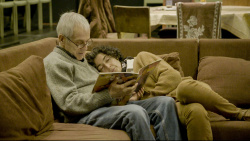
Steven Fischer, a two-time Emmy nominated documentary filmmaker, is traveling the United States in search of meaningful conversations with master storytellers.

OSNS collects intimate conversations between Fischer and master storytellers from all disciplines (dance, music, literature, cinema, etc.) into a cinematic study that explores how an artist can reach his full creative potential. The conversations center on three major themes: how to find your own voice, taking risks, and defining success in the arts. These accomplished artists offer engaging insights and generous wisdom, sharing a lifetime of real-life lessons learned about the essential matters every serious storyteller wants and needs to ponder.

The incisive on-screen questions by Steve Fischer and the revealing answers from the cast of brilliant minds participating in the documentary engage any viewer in a participatory way. The answers reveal an insight of their creativity process as individuals and they become the master advice to anybody who is searching their creative path and probably life purpose.

Although OLD SCHOOL, NEW SCHOOL is still a work in progress, the message becomes very personal to the audience and after the editing process is done, the sequential inter-cutting of questions & answers could become an anticipatory progression to a climax. There is a final answer to achieve your goals? There is a golden key or a template?. Or taking risks while you are trying to succeed is the answer?.

FEATURING:

WILLIAM FRAKER, ASC - six-time Oscar nominated cinematographer of "Rosemary's Baby", "Bullitt", "War Games", "The Freshman". Select ON-DEMAND to watch a portion of the interview with Mr. Fraker.

EMANUEL AZENBERG - Tony Award winning Broadway producer of "Rent", "Brighton Beach Memoirs", "Biloxi Blues", "Long Day's Journey Into Night".

BEN JONES - actor "The Wonderful World of Disney", "As the World Turns", "The Daily Show", most recognized as Cooter from "The Dukes of Hazzard".

KIRSTIE SIMSON - Britain's celebrated dance artist. Simson teaches and performs throughout Europe, Asia, and North America.

JOHN BAILEY, ASC - Legendary Hollywood cinematographer of "American Gigolo", "The Producers", "In the Line of Fire", and "He's Just Not That Into You". Select ON-DEMAND to watch a portion of the interview with Mr. Bailey.

JAMES RAGAN - acclaimed poet and former head of USC's Professional Writing Program.

SAM McCREADY - renowned Yeats scholar and playwright. Former teacher of Liam Neeson, Kenneth Branagh, Kevin Spacey.

OLD SCHOOL, NEW SCHOOL, marketing and distribution strategy for completion funds seems more altruistic than solely commercial. At key presentations, the original interviewees are invited for a Q&A talk and in their absence another brilliant guest panel is invited for the Q&A talk to dissect creativity and other issues from own their perspective. All panels are composed by high caliber creative people at the top of their totem pole providing fantastic inside vision of the creative process. The screening and the Q&A portion is a motivational and educational evening for personal enrichment. I would summarize it as better than any $2500 creative workshop offered often around Hollywood or New York City.

The last screening of OLD SCHOOL, NEW SCHOOL to which I was fortunate to attend was organized by Hollywood Shorts, Kimberley Browning. The Q& A panel was a chuck full of creative wisdom and experience composed by Brett Pasel (author Mommies who Drink), Mark Goffman (producer Law & Order: SVU), Steve Melendez (producer The Lion, the Witch & the Wardrobe; Peanuts, Garfield), Mike Polcino (director The Simpsons, Family Guy) and moderated by Steve Fischer.
Steven Fischer conferencing at
Bill Melendez Productions

KODAK EVENTS AT LOS ANGELES FILM FESTIVAL

Emmy®-winner Robbie Greenberg, ASC shared his experiences at the Los Angeles Film Festival (LAFF), which showcases new American and international cinema. Greenberg offered his insights into the artistry and technology of his craft as he showed and discusses his work from a career that spans over 30 years. The festival, now in its 15th year, ran June 18-28 at venues in and around Westwood Village.
Michael Houser, Kodak's Account Manger of Entertainment Imaging, moderated the presentation and Q&A. Houser serves as Kodak's liaison for the major studios and independent filmmakers acquiring film stock. Houser relationship with Hollywood top cinematographers and his awareness of their production needs made him the right choice for the conversation with Robbie Greenberg.

Robbie Greenberg has won two consecutive Emmy® Awards for his work on Introducing Dorothy Dandridge and Winchell, as well as three additional nominations for Warm Springs, Iron Jawed Angels and James Dean. His work on four of these telefilms also earned him American Society of Cinematographers (ASC) Awards. Greenberg's extensive credits include The Milagro Beanfield War, Free Willy, Fools Rush In, Save the Last Dance, and Wild Hogs.

After a brief introduction by Houser, Greenberg was received with a thundering applause by the audience. The attending audience consisted of a mixed bag of festival goers, film school students, camera department professionals and first time filmmakers.

The afternoon program consisted of a 10 minutes clip screening of some of his award winning films followed by a candid conversation with Houser and a Q & A with the audience. A note worth to mention was that the screening was projected on film stock. The quality condition of the three prints screened allowed the audience to evaluate the sharpness, color rendering and forgiving latitude of the Kodak negatives used by Greenberg in these three different genres.

The first clip presented was The Milagro Beanfield War, a compelling pastoral social rights issue drama directed by Robert Redford. The mesmerizing screening focused into the almost constant magic hour landscape photography captured by Greenberg, who highlighted the storyline with a surreal multicolor glow and a naturalistic mountain ambient light.

The audience was stunned by the emotive beauty of the framing, composition and photography of the film and made many questions ranging from the relationship between cinematographer and director, camera placement and actor blocking, choice of film stock, lenses and aspect ratio, production design as complementary to cinematography and, of course, Greenberg's working relationship with Robert Redford.

The second clip was Winchell, a made for TV biopic spanning several decades. In order to emphasize the different periods of Winchell's saga, Greenberg lit the many scenes with the proper elements of the different eras. As an example, to photograph Winchell's youth scenes in new York's lower East Side (at Paramount lot), he re-styled a textured lighting plot with deep shadows reminiscent of The Godfather's youth scenes. "The intent was to be able to span the many decades of Winchell's life and to keep each period unique". Greenberg also recreated and mixed stock footage with the actors, offering seamless black and white newsreel style photography.

At other moments, when Winchell is at the top of his game as the hottest journalist in town adulated by politicians and the stars of the moment, Greenberg uses a very sharp and glossy photography to show the decadence of the era.

The last clip presented was the feature crime story Even Money where the narrative describes the lives of three otherwise unconnected people and their destructive addiction to gambling. Here, Greenberg lit each people world's completely different to the other. Each character has it own "signature" lighting trough the storyline that is complementary to their personality, shortcomings and destructive behavior.

Other events organized by the festival also include Kodak Speed Dating, which offers session participants the opportunity to talk one on one with industry professionals, and Kodak Fast Track, an intensive film financing market that connects filmmakers seeking funding and financiers, production companies and other high-level industry professionals who can provide assistance.
Previous Fast Track projects include Amreeka, Frozen River, Kabluey, Four Sheets to the Wind, Ira and Abby and After Innocence. "We're thrilled that the innovative filmmakers who are exhibiting their work here at LAFF continue to create their vision on film," says Peter Boyce, Kodak's general manager of North and South America. "Our goal is to listen, and continue providing the highest-quality tools that filmmakers want. We are committed to bringing the best products and services to the creative community, so they don't have to make compromises at any stage of the filmmaking process." Kodak's Entertainment Imaging Division is the world-class leader in providing film, digital and hybrid motion imaging products, services and technology for the entertainment industry. For more information, visit www.kodak.com/go/motion.

IN-CAMERA SLEIGH - OF- HAND. NOT GREEN SCREEN RQUIRED.

I am posting this review by David Heuring as a confirmation to my answer in a cinematography debate I had with a colleague about " how it was shot" when I referenced this TV spot as my favorite "feel good" spot of the year, so far. My contention was that it felt very organic and rather in-camera composed instead of a green or blue screen job. I felt that having an ad agency storyboard in front of me detailing such moves, all in the same perspective, I would have made first an in-camera alignment test (still photo) of the blocking of the actors and product, before than going for the CGI and green screen alternative. I was proven right.


On March 16, an innovative and eye-catching commercial began airing in the U.S. designed to sell the all new Honda Insight, a hybrid gas-electric vehicle. The tagline is “the hybrid for everyone.” The car enters the frame from right to left. When it pulls into a parking spot, a second Insight, previously perfectly aligned behind and hidden by the original, is revealed. From the beginning to the end of the 30-second spot, Insight drivers and their passengers suddenly, yet casually, appear from behind other elements, including surfboards, beach toys and people. Eventually a higher, wider shot reveals that the beach parking lot is filled with Honda Insight cars.

Watch the spot, below, then read on as cinematographer Eric Treml explains how it was shot.


LOWER VOLUME OF MAIN VIDEO WINDOW

“Beach” is one in a series of three Honda Insight commercials. The others unfold in a downtown Los Angeles parking garage and in a park where people gather for a concert. They will begin airing around mid-April. The directors were Si & Ad from Academy Films/London. The production company was Park Pictures, Los Angeles, and the agency was RPA, Rubin Postaer and Associates. Each of the three spots was produced in two days. Locations included Zuma Beach, which is north of Los Angeles, and Sable Ranch in Canyon Country, California. A second unit sometimes leapfrogged the main unit, capturing beauty shots and other elements.

Cinematographer Eric Treml says that 95 percent of the signature “reveal” shots of the cars were accomplished with in-camera techniques rather than by elaborate computer manipulation in post-production. Significant compositing and rotoscoping was necessary for clean-up, but there was not a single green screen shot. There’s something brilliant and beautiful about the physicality of doing these shots in the camera,” says Treml, originally from Salzburg, Austria. He studied architecture in Vienna prior to coming to the U.S. to pursue a career in cinematography. Upon his arrival in 1992, he worked as a camera technician at Clairmont Camera.

For the Honda campaign, extensive rehearsals with choreographer Michael Rooney and careful tech scouting were essential ingredients. With the help of GPS calculations and Google maps, each shot was lined up precisely and positioned advantageously with the sun, choreography and revealing actions in mind. Many of the shots required 20 or more takes to achieve the casual, relaxed feeling seen on film. To accentuate a horizontal look, Treml and the directors chose to film the spots in anamorphic format in widescreen 2.4:1 aspect ratio. Viewers with high-definition televisions will see the spot in that aspect ratio, letterboxed, while viewers with 4:3 television sets will see the spot letterboxed in a 16:9 frame.

Treml brought Primo anamorphic lenses, provided by Panavision Woodland Hills, to the tech scout. “We generally chose longer lenses because the compressed perspective helped to hide things and achieve the right effect,” he says. “The car also looks great with longer lenses. I suggested flaring the lens to get those beautiful blue streaks and the directors loved it.” In some shots, the directors asked Treml to keep the foreground and deep background in focus in order to visually link elements that would be combined later. “That meant we were shooting at stops T16 and T22 to get as much depth as possible,” Treml explains. “They wanted everything to be sharp. People at Panavision assured us this wouldn’t cause any issues with the lenses. This was also one reason we used 5219, a tungsten-balanced film, even though we were shooting exteriors.”
Treml says he needed the extended latitude of the KODAK VISION3 500T 5219 emulsion. “I love this film” he says. “It’s such a fine-grain, gorgeous stock with 14 stops of latitude. It digs into shadows beautifully. These days, especially with cars, you don’t go moody or cross process – you give them a solid negative. If at any time they want to see more details, they have it.”

Treml augmented existing sunlight with Maxi-Brutes and Dinos. “We had some trouble with the weather at the beach,” he reports. “It was quite overcast, almost stormy at times. I like using Dinos as my keylight, or to dig into trees or to extend the sun. I often use a ½ blue gel on the Dinos and HMIs to fill the shadows. For example, for shots inside the cars, I used the Dinos with the ½ blue and a very light diffusion to give the actors a bit more edge.”

Shadows were a major issue. The filmmakers had to decide where to leave out shadows of actors and cars before they were revealed, and at which point they should be introduced to keep the images ringing true. “We always shot clean passes with no people and sometimes no cars in order to have the option of removing or introducing shadows as objects and subjects appeared,” says Treml. “The post-production team had its hands full with these decisions.” The filmmakers also resorted to digital compositing techniques for a rack-focus shot that was physically impossible. “The shot called for a rack focus from a reflection back to a parking attendant,” he says. “It was a wide-angle shot with macro focus pulls, which in this case wasn’t possible in the anamorphic world. Instead, we shot all the layers and accomplished the rack in post.”

Treml collaborated closely with colorist Sparkle at Technicolor in Los Angeles. “I give them a solid negative, so they can play with it, but I set a look that I believe in with my colorist,” he says. “The big challenge was how detailed each shot needed to be,” he continues. “Lining everything up was painstaking and time-consuming. We were chasing the light and there was only so much we could do considering that we often needed 30 takes. But the finished spot unfolds in a witty and delightful way.”

HD EXPO - NEW YORK CITY

September 17, 2009-New York, NY
November 4-5, 2009-Los Angeles, CA

THE GREAT DAYLIGHT MONITOR SHOOTOUT

Camera Support a designer and provider of crane, rail and moving camera platforms for the film and high definition industry and a Stedicam rental house in Burbank hosted yesterday The Great Daylight Monitor Shootout.

The public at the event

A "rotisserie" was constructed with speed rails to hold 14 different new daylight monitors available for Steadicam and other flying rigs. There were 14 clips and a live camera feed. To demonstrate the features of the monitors the rotisserie could be rotate 90 degrees to position the monitors from horizontal to vertical. Several of the manufacturers were present to answer any questions about the features and price of the monitors.
The "rotisserie" with daylight viewing monitors for close evaluation

Steadicam operators checking features

Gaylen Nebeker of Nebtek answering questions

Some of the companies who participated in the Daylight Monitors Shootout were, Nebtek, Inc who showcased three monitors namely, the Blackbird Sunlight Viewable 6.5" Screen Monitor and the Solar 7" HD and HDS Sunlight Viewable TFT LCD Monitors. These monitors offered a superb color rendering and definition at a glance at different viewing anglers under the direct afternoon sun. Another practical accessory showcased in their booth was the CW-5HD HD Wireless Transmitter and Receiver along a with bracket to handheld the monitors. Pretty nifty!

Transvideo the premier state of the art electronic company for the film industry was showcasing couple of monitors of their flagship series, The Rainbow Series, a 5" daylight viewable monitor with a outstanding amount of features and the choice of many Steadicam operators. The monitors offered at glance easy viewing of the image and color at several angles, along with an array of many necessary adjustment and features such as underscan, overscan, vectorsope, waveform, histogram, blue check, gamma, zoom, 4.3, 16:9 and 2.35:1 ratios and much more. Also they had available many accessories necessary to the displays such as a 6" Night and Sun Hood, a Spirit level, a raincover and a wireless handheld bracket to name some.

Bernie Keach of Marshall Electronics

The largest company in the shootout was Marshall Electronics, a veteran manufacturer in the broadcasting industry. The quality of their outdoor viewing monitors is outstanding with an larger array of sizes to choose from the outdoor 6.5" TFT to the 15" TFT offering the technical characteristics and performance Marshall Electronics is known for. Their 6.5" and 7" portable camera-top field monitors are fully featured monitors with False Color and Peaking Filters with a variety of inputs and outputs, including 3G, HD and SDI and a variety of battery configurations.

Randy Gomez, CEO of Camera Support and
Tisha Matthews, camera operator

CINEGEAR EXPO 2009 WAS A BLOCKBUSTER!

CINEGEAR kicked off its 13th expo on Thursday June 4th with a big bang returning to its original stomping grounds, the Paramount Pictures Studio lot in Hollywood. The program started with the Film Series, a tribute to the Visual Art of Filmmaking which included the Student Short Film Competition, the Independent Short Film Competition, the Independent Feature Film Competition, and the new Documentary Film Competition.

CINEGEAR at Paramount, the place to network
and see the latest of the motion picture industry
(double click for detail)

An elliptical Airstar space lighting balloon
over a lower Manhattan street.
(double click for detail)

CINE GEAR opened its doors to the general public on Friday 5 at 4:00 pm and in matter of a few minutes the studio filled with attendees visiting the impressive exhibits on display. Among the companies exhibiting their products or services were: Creative Handbook, Pictorvision, Motion Picture Marine, Birns & Sawyer, Kodak, Airstar America, Nevada Film Office, Lensbaby, Carl Zeiss, Technocrane, Photo-Sonics , Mole Richardson, Society of Camera Operators, Schneider Optics, Fuji Film, Walter Klessen FX, Warner Bros, American Society of Cinematographers and many more.

The main venue for vendors exhibiting massive outdoor displays was the realistic exterior set of the lower Manhattan streets. The cavernous Stage 16 was the venue of choice for other companies like Panasonic, Filmtools, Rosco Labs, the UK Pavillion, Bron Kobold, Litepanel and Chimera to mention some of the participating companies.

Tom Hallman , Pictorvision and CINNERS President
along with Dave Arms, Aerial Operator and Technician showcasing
the new PictorFX 3D scanning and modeling system.


Creative Handbook, the # 1 entertainment resource
David Shapiro and team


PRESERVING THE FUTURE OF THE MOVING IMAGE, A PREMIERE SEMINAR AT CINEGEAR

The Premiere Seminars series started with Preserving the Future of the Moving Image held at the sold-out Sherry Lansing Theater and co-presented by the BSC, British Society of Cinematographers and the ASC, American Society of Cinematographers, moderated by Bob Fisher. The BSC panelists presented an evaluation comparing images produced with 18 different digital cameras and film stocks in Super 16 and Super 35 formats to provide an objective visual reference and factual information to help guide decisions about the choice of media for the production of narrative motion picture and television programs.
The evaluation included day and night, interior and exterior scenes and close-up shots that were produced at Pinewood Studios. The images are in the process of being taken through a state of the art post-production workflow for projection in both film and digital formats.

After an introduction of the members of panel by Bob Fisher, the President of the BSC, Sue Gibson presented the evaluation and workflow process supported by a video projection of several key images and footage taken in different settings and lighting situations by accredited members of the BSC. The evaluation presentation was followed by a Q&A with the participation of the inquisitive audience covering gray areas for some, such as format, image acquisition, proper workflow and global technical standardization.The BSC and ASC members of the panel responded with a unanimous voice about the proper way of utilizing the discussed cameras, being digital or film, as a unique tool for your specific job at hand. No digital camera supersedes a film stock reflex camera or vice-versa, they all just represent another tool in your cinematographer's bag . The immediacy and grain less images of the digital camera realm has brought the need of the comparison test implemented by the BSC and ASC members.

America, Europe and the world in general, looks up to the BSC and the ASC for their artistic, ethical and technical guidelines, thus creating the need of a coherent and bona fide technical reference to follow, rather than a subjective manufacturer sales sheet that provides marketing specs to their prospective clients as described by Michael Goi, ASC President.

Few moths ago, the ASC conducted a similar comparison test in conjunction with the Producers Guild Of America (PGA) spearheaded by Curtis Clark, ASC and Dave Stump, ASC, using the following cameras: Arri 435 (various Kodak film stocks, but primarily 5217), Arri D21, Panavision Genesis, Panasonic 3700, RED One, Sony F23 , Sony F35 and Thomson Viper and released its findings last Sunday, July 7 during Produced by Producers held at Sony Studios. (Upcoming posting)
Sue Gibson, BSC President and Michael Goi, ASC President

The BSC/ASC panel was integrated by Sue Gibson, BSC President, Joe Dunton BSC, John Daly BSC, Martin Hammond, ASC President Michael Goi, Steven Poster ASC, Richard Crudo ASC, and Nic Morris, BSC, Board of Governors. As a closing highlight, the panel discussed the preservation of the moving image for future generations, preceded by the presentation of a clip of a restored film and a Q&A.

Bob Fisher, Joe Dutton, BSC and Phil Meheux, BSC

CINEGEAR VP PARTY & AWARDS

The highlight of Friday night at CINEGEAR was the VIP reception sponsored by Fujifilm and hosted by Ross Matthews from The Tonight Show, where the Life Time Achievement, Anniversary and Film Competition Awards were handed out to their deserving recipients namely, Ed Phillips, President and CEO of Matthews Studio Equipment, Band Pro, Yellow Jacket, Society of Camera Operators (SOC) and the winning filmmakers of the competition.

Riffing on the blues, awards, gourmet delicacies and choice of
spirits
kept all guests entertained. Karl Kresser and Juliane Grosso,
CINEGEAR organizers, making sure that all is up to par.

Daryn Okada, ASC (Ghost of Girlfriend's Past)
and Jeffrey Okun, VES Chair.(Last Samurai)

Shane Hurlbut, ASC (Terminator Salvation) and
Rodney Taylor, ASC (That Evening Sun)

Richard Crudo, ASC (My Sexiest Year) and
Kramer Morgantheau, ASC (Life on Mars)

Nancy Scheiber, ASC (Every Day) and a guest.

David Malhmann, SOC Events Chairman, Dan Kneece,
SOC President and Warren Yeager, SOC Treasurer,
celebrating the Fujifilm Award.

Victoria Adams and David Grober, producers of the award winning
Perfect Horizon, Motion Picture Marine mingling with friends.

THE TAKING OF PELHAM 123 AT CINEGEAR

The activities started early on Saturday the 6th with several seminars, master classes, and presentations by key members of the industry. The vendor exhibit areas were crowded by the attending public inquiring about products and services. The site looked like a tribute to the choreography of a Busby Berkeley film with so much in-sync movement and functionality together under one roof. Sky high zooming towering cranes, moving dollies, up and down jibs, steadicams flying about, floating lighting balloons, camera cars, tingling lighting pattens and hundreds of people moving about sharing a common bond for motion picture production.


Two of the many outstanding seminars at CINEGEAR, I could attend were The Taking of Pelham 123, and A Dialogue with the BSC and ASC Cinematographers.

The Taking of Pelham 123 was moderated by Bob Fisher and presented a dissection of the anatomy of the remake of the original film and shooting styles of two directors of photography, the veteran master Owen Roizman, ASC and the younger and talented, Tobias Schliesser, ASC. Owen Roizman was the cinematographer of the original film directed by Joseph Sargent and Tobias Schliesser was the cinematographer of the remake helmed of Tony Scott.


I still remember the day when I saw the original film in a cramped Times Square theater, I was taken by the dynamic directorial pace, the motley crew cast of characters and the fluid cinematography that took place in such confining location. The action scenes inside New York City subway cars and tunnels of my neighborhood prompted to investigate how such action movies where made.

Tobias Schliesser ASC, Bob Fisher and Owen Roizman, ASC.

"It was a single Panavision camera shoot on Kodak 100 ASA negative stock on top of a dolly and I used anamorphic lenses. No storyboards, no special effects and I relied only on the available electrical power offered by the MTA (Manhattan Transit Authority). The film was pre-flashed at 20% with an optical printer and processed photochemically and I approved the dailies at the lab every day before coming to the underground set".

"I used the train overhead fluorescents and the tunnel tungsten illumination to my advantage coupled it with several inkys, tweenis, babys, juniors and 500 watts photofloods. Due to budget and insurance constraints, our electrical power was provided by the city and our lighting package was basic. For example, I used the car electrical out lets to fire our rigged 1oo watts inky fixtures bounced into dentist mirrors and the car available fluorescent overheads for the close ups and eye lighting".


In contrast, Tobias Schliesser ASC, lit the set for Tony Scott using the latest technology in fluorescent and tungsten lighting. The camera setup was a multi-camera setup or EFP style using Kodak 500T film stock on Panavision cameras tethered to a video village, covering every aspect of the performance while Tony Scott commanded the framing and moves via headset. Another big difference in the shooting style of the two films was the choice of lenses. Tobias Schliesser used Super 35 aspect ratio on faster Primo zooms and high speed primes lenses from his arsenal to capture the distinctive look that matches the fast pace of the edited storyline.

"I was there to make sure that the highly storyboarded and choreographed set was properly illuminated. We discussed every single move and lighting scheme prior our working day. Tony sketches very detailed storyboards and follow them as much as possible but I never stayed on the video village while the shooting, but in the middle of the action, close to the camera operators making constant lighting adjustments for such complicated coverage". The processing of the resulting exposed film was photochemical and scanned to a digital workflow for DI colorizing and other pertinent adjustments.


After the fantastic conversation with these three masters of their craft, I am looking forward again to sit in a dark theater to revisit the emotion I felt once for 90 minutes and watch the remake this classic New York City thriller.

Lower volume of main window to watch clip
Cinematography by Owen Roizman, ASC


Cinematography by Tobias Schliesser,ASC


A DIALOGUE WITH THE BSC AND ASC CINEMATOGRAPHERS

The most significant seminar was A Dialogue with the BSC and ASC Cinematographers, given the importance of the two associations. The British cinematographers were visiting Hollywood and celebrating their 6oth years of service. Their motto is "Preserving the Vision" and once again they are in the task of rewriting a new set of guidelines for the fast evolving concept of digital cinematography.

Moreover, they already have successfully accomplished the preservation of many cinema masterpieces, making them available for future generations to come and witness the glorious past of outstanding film making. For many years, I have been a fan of British film making and their production techniques. Their ability to create a rich visual language that always has been distinctive and spectacular has made me a follower of every aspect of British cinema, including television production.

The event was hosted by the ASC, who was also celebrating 90 years of continuous service preserving the ethics and excellence of the craft of American cinematography and it was held at the massive Stage 12. It started with an exquisite edited video presentation of clips by the masters and artisans that integrate both associations. George Spiro Dibie ASC, and BSC President Sue Gibson, co-moderated the panel and introduced the topic for discussion, opening the floor for a series of questions and answers.

The panel was integrated by Owen Roizman ASC, John Daly BSC, ASC President Michael Goi, Daryn Okada ASC, Richard Crudo ASC, Oliver Curtis BSC, Dick Pope BSC, Allen Daviau ASC, Joe Dunton BSC, Phil Meheux BSC, Nancy Schreiber ASC, and Nic Morris, BSC. The event culminated with a traditional double birthday cake celebration provided by the CINEGEAR Expo organizers, Karl Kresser and Juliane Grosso. The general public mingled with the cinematographers who responded to candid questions and posed for photo opportunities.

Double click for enlargement and detail

ASC President, Michael Goi and BSC President, Sue Gibson cutting
their respective 90th anniversary and 60th anniversary cake

Nancy Schreiber, ASC and John Daly, BSC

Phil Meheux BSC, Michael Goi ASC, Owen Roizman ASC,
John Daly, BSC and George Spiro Dibie , ASC

Academy award Guillermo Navarro, ASC AMC
(Pan's Labyrinth)
Academy award nominated,
Dick Pope, BSC (The Illusionist)

& Phil Meheux, BSC (Casino Royale)
enjoying the anniversary cake


Award winner and Academy nominated, Allen Daviau, ASC

Nic Morris BSC, George Spiro Dibie ASC,
Sue Gibson BSC & George Leon


PHANTOM 35HD/HD HIGH SPEED CAMERA

The Phantom 35/HD with Primo® prime lens

KEY FEATURES

Up to 1052 fps at 1920 x 1080P resolution. Up to 555 fps at full 2048 x 2048 resolution uncompressed RAW data recording. Panavision lens mount - fits all Panavision 35mm spherical and anamorphic lenses. Hot-swappable Phantom CineMag 512GB memory magazines. Untethered shooting Real-time playback. 12.1 lbs / 5.5 kg. Panavision accessories.

DIGITAL HIGH SPEED WITH 35MM FILM SIZED IMAGER
The Phantom 35/HD CMOS sensor is 25.6mm square, or about the size of 35mm full aperture, and has a Panavision mount, so you can use any of our Panavision lenses. A 35mm sized sensor also means the familiar 35mm depth of field, for creative control of focus.

The CMOS sensor’s 14-bit depth provides wide dynamic range and color. High speed images are recorded to the internal 16GB memory buffer. At 1920 x 1080 resolution, the buffer holds 4385 frames, which is almost 4 1/2 seconds at 1000 fps. Once the buffer is full, the clip can be trimmed and then transferred to the CineMag. At speeds below 450 fps, images can be recorded directly to the CineMag, for longer takes. With 2 CineMags the camera is always ready to shoot, as one can be on the camera while the other is being downloaded to a hard drive.

Unlike many previous digital high-speed cameras, this is fully hand-holdable without the need to be connected to a computer. The on-board memory can operate as a circular buffer for end-of-shot triggering, so you’ll never miss the key moment. The system records in Phantom RAW cine format, and also can be output as TIFF stacks, uncompressed Quicktime, DPX, DNG, AVI, and others.

SPECIFICATIONS and FEATURES
Up to 1052 fps at 1920 x 1080 resolution. Up to 793 fps at 1712 x 1432 resolution [full anamorphic image area] using Panavision anamorphic lenses EI 320. Hot-swappable 512 GB CineMags. Wide selection of Panavision lenses. Compact and lightweight. File-based workflow, simple download process .Panavision lens mount and accessories. 14 bit uncompressed RAW recording. 4:2:2 HD-SDI real-time playback and monitoring output. Easy to fly on steadicam rig or remote.

CAR RIGGING & GRIP SEMINAR. GRIP, GRAB & GROG


"When you want to set any fixture high of the ground, you should have a sure footing.The three points of contact or legs of your C-stand or grip assembly must be spread accordingly to hold the weight safely at all times”, said Mike Rogers to a crowd of motion picture professionals at the Car Rigging & Grip Equipment Techniques Seminar, Wednesday night in Burbank, California.


Demonstrating a wall spreader with a piece of lumber
to hang clamps, fixtures and other light control devices


Rigging a trapeze requires attention to
detail and knot making ability


The proper way to set a diffuser or gel frame
into a large hot fixture

Mike Rogers is a seasoned veteran of the motion picture industry and is currently the Lighting/Grip General Manager of Birns & Sawyer, the premiere rental and sales firm of motion picture equipment located in Hollywood. Birns and Sawyer, Inc. has been an industry standard for quality and dependability for the last fifty years and continues to assist the needs of filmmakers and progress with new technology.

No better said and demonstrated that with this hands-on seminar covering every detail regarding the selection of the right grip tool for your next job. Jesse Hurtado and John Ploucher, both employees of the company, assisted the evening seminar. Marty Meyer, Head of Marketing, introduced the Seminar and invited the attendees to savor a variety of appetizers, wine and drinks.


Mike started the seminar chronicling the origins and utilization of clamps, mounting equipment and lighting and grip stands for different uses. The clamps were separated in three groups: Clamps fitted to use on a speed rail or a hanging pipe and clamps fitted to hang from/to a piece of lumber, light poles, cables, branches or other unexpected mounting surface and car mounted grip equipment.

Also, safety in handling C-stands, Hi rollers and Low rollers were explained at detail including storage, spread, and correct tightening of the different sizes of grip heads.


Emphasizing safety when hanging fixtures.
Always use a safety chain or safety cord after
setting the fixture into place.


Some items on display at hand were, Cardellini clamps, Speed rail C-clamps, Bar, Studded, Scissor, Quaker, T-bones, Trapeze, Furniture clamps, Mafer clamps, Chain vise grip, Putty knife, the Tree branch holder, the Wall spreader with a piece of lumber, Pigeons, the Condor mount, Locking pliers, among others. Also, on display were Century stands, High rollers, Low rollers, Risers, gobo arms, grip heads (gags/double gags), the ubiquitous Lollipop, spuds, plugs, flags, fingers, scrims, butterfly frames and others.

Between descriptions, Mike revealed past experiences and well kept secrets of the trade when combining all these tools for a shoot, delivering the correct piece of grip equipment and solving a possible lighting control problem. “Get to know the location or situation, stay alert and troubleshoot safely any possible problem” “ Per instance, if on location and your DP requests a wall wash with a PAR fixture, you could use a pigeon plate instead an unsightly light stand. Screw the pigeon plate into a ½” plywood board and securely sandbag it into place and hide it out of sight in the bushes or hedges" “Grip rigging is all about versatility”, he added.


Stabilizing a boom arm in a C stand in
irregular terrain using an apple box.


The instruction given on the technique was comprehensive and put into action immediately showing to the attendees the correct mounting and positioning of the rigs and other tricks-of-the trade.


Birns & Sawyer maintains a continuous schedule of different outstanding one-evening seminars. I attended several months ago, the seminar “Lighting for Motion Picture” and I was happily surprised by the knowledge and experience displayed by the presenters in tackling any lighting situation on location or studio. Other recent past seminar were, “HMI Lighting” and “Audio for Emerging Filmmakers” Next one to come is “Lighting and Techniques for Green/Blue Screen”. For more information, check Birns & Sawyer website or call 818.766.2525

The last portion of the seminar included a detailed demonstration in how to rig a speed bar hood mount and a side door mount in a car, followed by different moving and stationary techniques and safety tips.


Explaining the correct way to adjust the speed
bar mount into a car hood


Side door car mount


Suction/pump cup head plate with a
300 watts fixture


Speed bar assembly for car hood mounting
The head plate slides to accommodate
camera position The four way leveling
head allows easy camera positioning
and framing


Articulated grip assembly with pump cups
for rigging lighting control devices


Mike, Jonathan, George and friends


THE MOVING CAMERA OPERATION SEMINAR WAS A HIT!

Hands-on demonstration of a Panavision Genesis on a
geared Panahead and a Fisher 10 dolly on skate wheels

Last Saturday 17, J.L Fisher hosted their 4th Annual Outdoor Mixer & BBQ Lunch in association with the Society of Camera Operators SOC, the International Cinematographers Guild ICG, and the American Society of Cinematographers ASC, under a cloudless blue ski and a fantastic weather. The event is held in the outdoor and indoor facilities of JL Fisher, the legendary manufacturer of motion picture and television equipment located in Burbank, California. The event consists in the participation of outdoor exhibitors presenting the latest in motion picture equipment and the anticipated panel “The Moving Camera Operation Seminar” hosted by the ASC , SOC, IGC & IATSE Local 80.


David Mahlman, SOC, (left) introduced the Panel discussion to the inquisitive audience. The focus was the working relationship between the Cinematographer, Camera Operator, 1st AC, Key Grip and Dolly Grip when using dollies and jib arms. George Spiro Dibie, ASC (center) moderated the panel addressing the questions to the guest speakers. Among the speakers were (left to right) David Frederick SOC, Buddy Fries SOC, Michael Scott SOC, Bob Gorelick SOC, Bob Hall SOC, Bill Bennett ASC, Lloyd Moriarty IATSE 80, Don M. Morgan ASC, Daniel Pearl ASC, Michael Goi ASC, Michael Negrin ASC, Richard Crudo ASC, Kees Van Oostrum ASC, Russell Nordstedt and Donald Hubbell IATSE Local 8o.

JL Fisher is the perfect venue to host such event not only because of the enormous size of their facilities and the hands-on demonstration of their dollies, boom arms and jibs, but also for the eye-to-detail displayed by their employees while explaining to the visitors the different types of camera and sound movement equipment. From their famous “Fisher 10” to the door crawler “Spyder” to their massive “Quattro” Pedestal for EFP Television production to their brand new Pipe Tracks and Articulated Skate Wheels, JL Fisher dollies allow the Dolly Grip to push or pull the camera from the starting mark to the ending mark effortlessly.

David Mahlmann, SOC and George Spiro Dibbie, ASC

Another decisive factor for the proven success of the annual gathering is the copious amounts of gourmet food and drinks JL Fisher cater through the day. Upon my arrival, I darted to the catering truck and food tent for a hefty breakfast of orange juice, spinach and ham omelet with all the trimmings prepared by a “above the line” short order cook. After I had satisfied my obsession for a good Saturday’s brunch, I went around visiting and talking with some of the many exhibitors and vendors in the already packed parking lot. Among them were, BandPro (J.Cree, SOC), Arri, Birns & Sawyer (Mike Rogers), Panavision (Richard Amadril), Innovision Optics, (Mark Centowsky) Doggy Cam (Gary Thieltges), JVC (with the new GY-HM700UXT, Greg Gorman), Filmtools and others.

Larry Parker, Tarin & Richard Crudo, ASC

Don M. Morgan, ASC and C. Lamb

The show was a pack house and by noontime was filled with all kinds of folks from the motion picture industry or not. From my count, I spoke with a couple of feature film producers, several directors, a sizable number of working camera operators and cinematographers (DoP), focus pullers, grips, sound operators, a couple script supervisors, several equipment buyers and also many film students getting educated with the impressive hands-on array of professional cameras, lenses, moving dollies, many sizes of cranes, motion control equipment, HMI, tungsten, fluorescent and LED lighting equipment, grip accessories and all kind of expendables for sale at discounted prices.

When I come here, I feel like a kid at the county fair or toy store and my adrenaline rushes up while tinkering with these “movie making toys” on display in this gigantic sandbox. After I stop daydreaming, I eyeball every piece of outstanding piece of equipment on display to index it in my brain using my mental photographic prowess for future use or field reference. Usually, I cannot afford any of this stuff, even if is on sale, so window shopping is my only option.


David Mahlmann, SOC Event Chairman
and Georgia Packard, SOC

Michael Negrin, ASC aswering questions

Bill Bennett, ASC and a guest
After visiting old friends and making new ones for the video portion of this article, I found myself in the food line again. By this time is lunchtime and I devour a juicy rib eye steak with all the trimmings, washing it down with a couple of chilled St. Pauli Girl beers. Pretty good, eh.. Then, it suddenly occured to me, it pays in one way or another to work behind the camera.

Mike Scott, SOC making a point

Loyd Moriarty, IATSE Local 800 and Darryl Humber

Dan Kneece, SOC President and guests